Published: December 16, 2025
Every year I set up a simple Grinch decoration that looks like it’s taking the lights off the house. It is “Fully festive with minimal effort” - it does the job with almost no fuss, but one year we decided to make it a little more theatrical by adding a tiny FM radio broadcast that plays the Grinch song in a perpetual loop.
This is how I did it using an older Raspberry Pi 3, a short length of wire on GPIO 4, and a small open-source project I forked: https://github.com/dahln/PiFmRds.
Hardware & repo
- Pi: Raspberry Pi 3 (older, perfectly fine for this)
- Repo: my fork of PiFmRds — follow the README to install dependencies and build.
Photos:
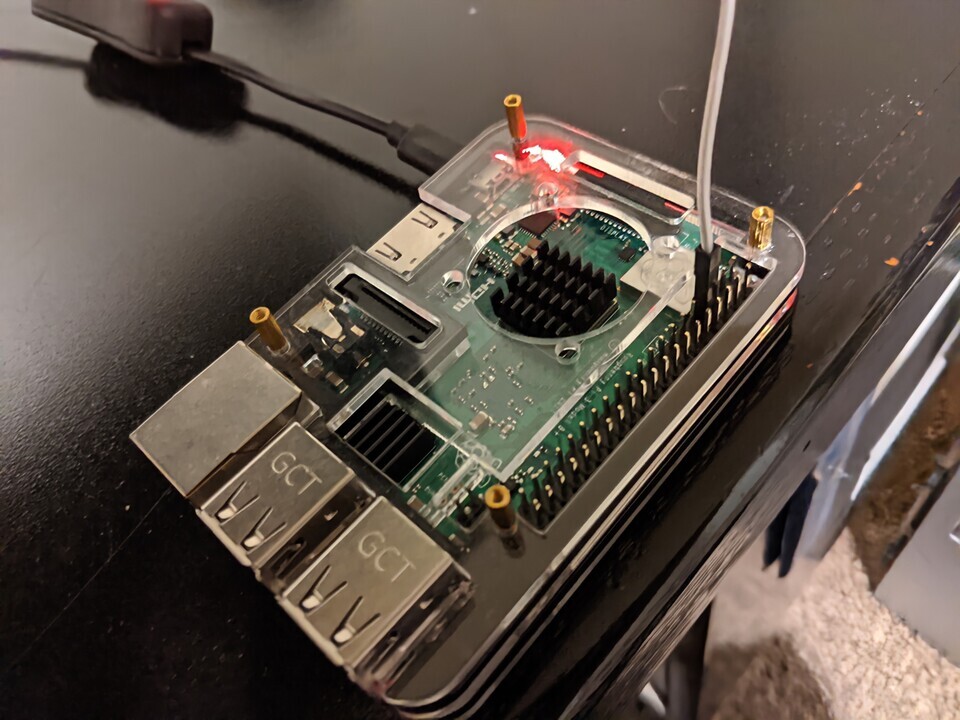
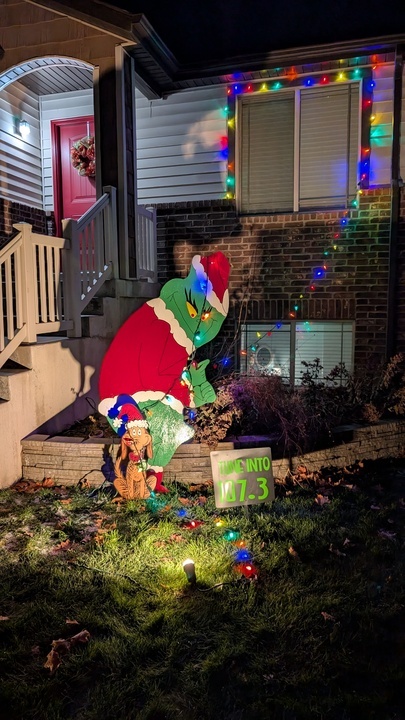
Preparing the audio
I purchased the Grinch song I wanted to transmit and copied it to a Music folder on the Pi (I created the folder myself):
mkdir -p /home/pi/Music
scp my-grinch.mp3 pi@<pi-ip>:/home/pi/Music/
PiFmRds accepts WAV audio, but I like keeping the original MP3s. To avoid permanently converting files I stream a live conversion using sox and pipe the WAV output into the transmitter binary.
The command I run
From the Pi’s home directory (the PiFmRds binary lives in PiFmRds/src after building):
while true; do \
  sox -t mp3 /home/pi/Music/*.mp3 -t wav - | sudo ./PiFmRds/src/pi_fm_rds \
    -freq 107.3 -ps GRINCH -rt 'GRINCH' -pi GRCH -audio -; \
done &
Notes:
soxconverts the MP3(s) to WAV and pipes them topi_fm_rds.-freq 107.3sets the transmit frequency to 107.3 MHz; adjust to a clear local frequency.-ps,-rt, and-piset RDS station name and text.- The
while trueloop keeps the song playing in a continuous loop. - Run the command inside an SSH session; after it starts, press Enter a few times and then
exit— the process will continue in the background.
Build & wiring summary
- Clone my fork and follow the README to install dependencies.
- Build with
make(run in thePiFmRdsdirectory). - Attach a short wire to GPIO 4 (this acts as the antenna). Keep the wire short and away from people.
A couple of practical reminders
- Check local regulations before transmitting; unlicensed FM transmission rules vary by country.
- Keep power and volume low; this is a small, low-range transmitter intended to cover a yard, not a whole neighborhood.
- If you want to change the song, replace the file(s) in
/home/pi/Musicand the loop will pick them up on the next iteration. - Disclaimer: I am not responsible for any damages; proceed at your own risk.
Keep shining!